
Designing a landing page is like crafting the perfect handshake: it’s your chance to make a powerful first impression. You can make the process easy by using AI tools.
Studies show that 94% of the first impressions on a website are design-related. With such a huge number, it is important to optimize your landing page to capture your audience’s attention and drive conversions. Learn some ChatGPT prompts you can use to design a page that hooks the audience. Remember, all these prompts can be adjusted to suit your business needs.
Top 6 Prompts for ChatGPT to Create a Hook Landing Page
The emergence of AI tools like ChatGPT has transformed the way marketers approach copywriting. These tools not only save time but also unlock creative possibilities that humans were constrained from exploring in the past.
1: Create a Specific, Attention-Grabbing Headline
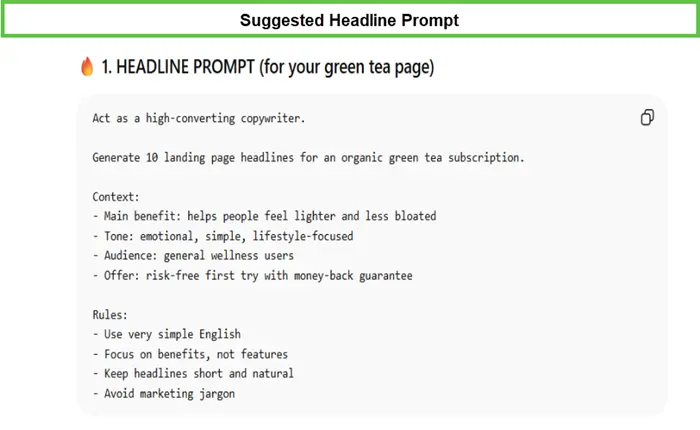
Command ChatGPT, “Act as a high-converting copywriter. Generate 10 landing page headlines for an organic green tea subscription.”
Provide a list of instructions, including the benefits, the tone you want it to follow, and your target audience. Talk about the offer your company will offer. You can change the prompt according to your business.
Prompt:
Result:
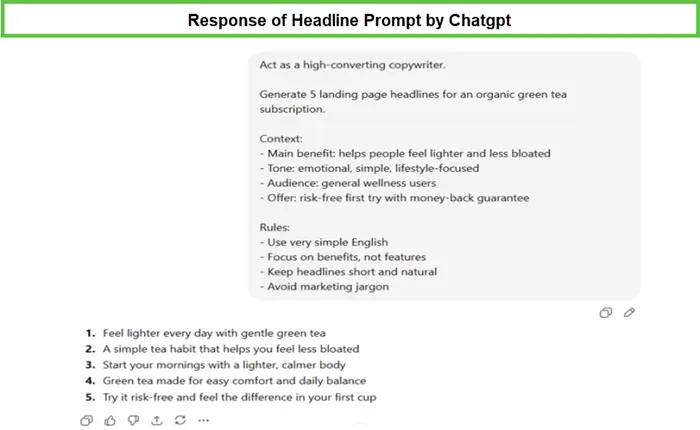
Given this prompt and the details, GPT will take some time to think before responding. You will get some heading ideas that will match your brand’s needs. These will be creative, yet simple. Choose any one of them, or you can use your skills to create a heading that uses a mixture of all the generated ideas.
2: Highlight Product Benefits Clearly
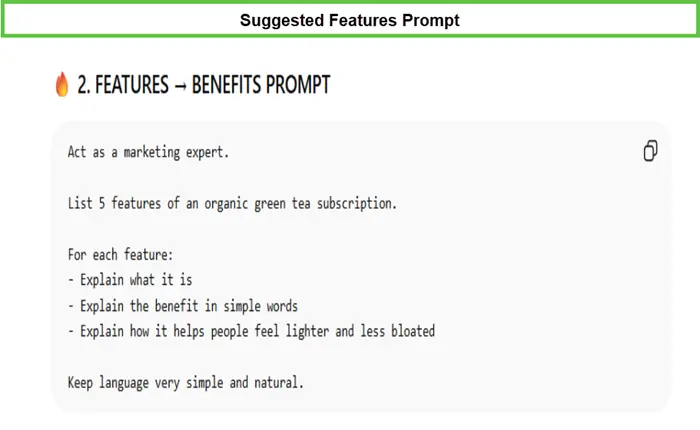
Prompt GPT, “Act as a marketing expert. List 5 features of an organic green tea subscription.”
You must further instruct it to follow these instructions to get better and more concise results. For each feature:
- Explain what it is.
- Explain the benefit in simple words.
- Explain how it helps people feel lighter and less bloated.
Keep language very simple and natural. Don’t forget to update this to match your brand.
Prompt:
Result:
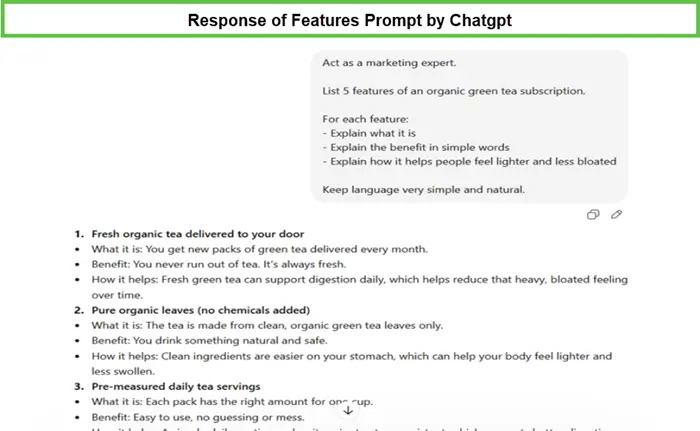
The results you will receive will be simple and natural, like a person would tell when marketing the product. Additionally, for each feature, you will get a clear, bullet-pointed response to the instructions you mentioned.
3: Write a High-Conversion Call-to-Action (CTA)
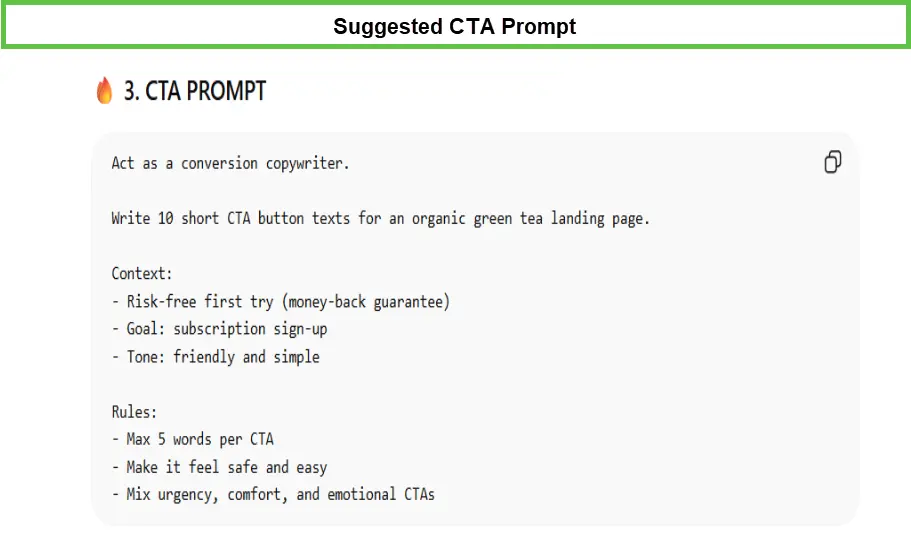
CTA is the most important section of a landing page. You can instruct GPT with a prompt like “Act as a conversion copywriter. Write 10 short CTA button texts for an organic green tea landing page.”
Don’t forget to add the context of the information you want your CTA text to cover. Instruct the tool on the tone you want, along with specific rules such as the maximum word count. Remember to tailor the prompt to your business goals.
Prompt:
Result:
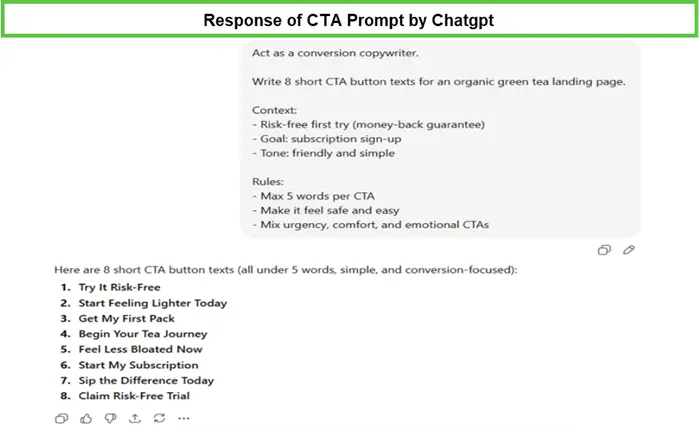
ChatGPT will provide you with the CTA text that follows all your quoted instructions. The tone you instructed would be followed by the maximum word count. Choose either one out of the suggested or design one using your creative skills.
4: Add Real Customer Testimonials for Trust
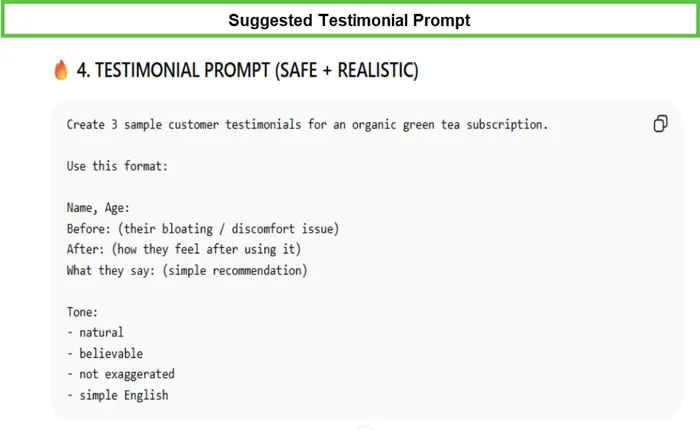
The clients’ reviews help in deciding whether to choose the brand. You must add this section to your landing page with the help of an AI tool to generate the content. The simple prompt is:
“Create 3 sample customer testimonials for an organic green tea subscription. Use this format:
- Name, Age:
- Before: (their bloating/discomfort issue)
- After: (how they feel after using it)
- What they say: (simple recommendation).”
Instruct it with specific instructions, such as the tone you want. Additionally, you can modify this sample prompt to suit your needs.
Prompt:
Result:
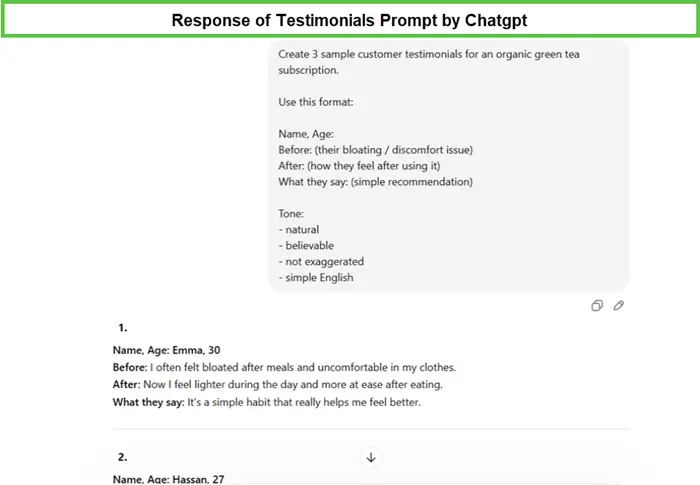
ChatGPT takes time and responds, keeping all the instructions as a record. You can again use those directly in your landing page testimonial section, or make some changes according to your needs.
5: Final Step: Putting Everything Together
With all the information generated by ChatGPT, you can even ask the tool to compile it into a format that can be copied directly to the site. To achieve this, instruct:
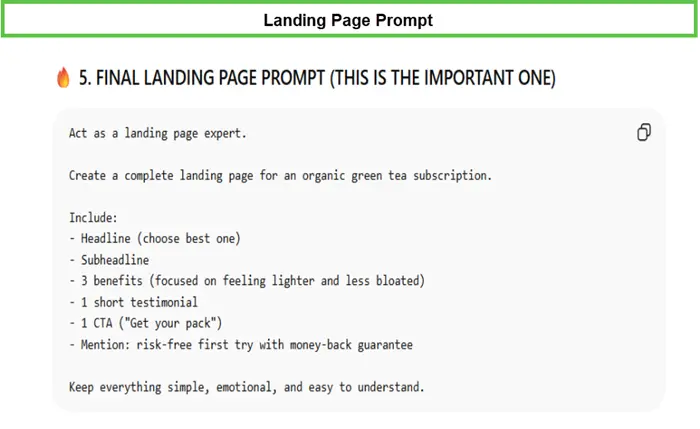
“Act as a landing page expert. Create a complete landing page for an organic green tea subscription.”
Further instruct it for a more concise result. You can bound it by specifying what you want your generated content to include. Again, the instructions will vary with your business details.
Prompt:
Result:
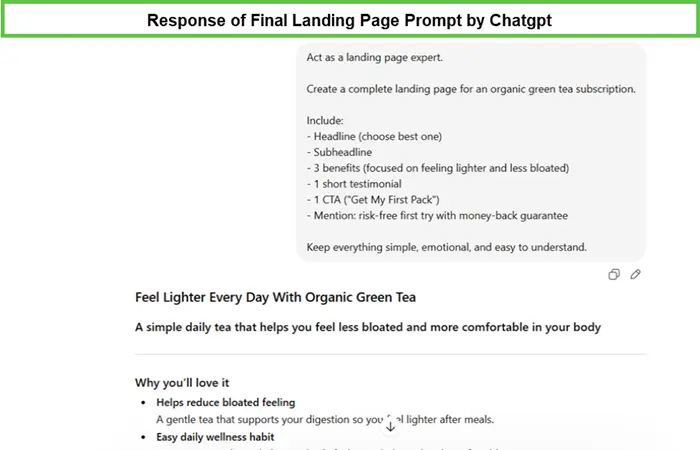
Press the Enter key and wait until ChatGPT responds. A few seconds will lead you to the result you requested. Go through it and check if you want any changes. This content can be copied on the landing page to generate traffic.
6: A Visual of the Generated Landing Page
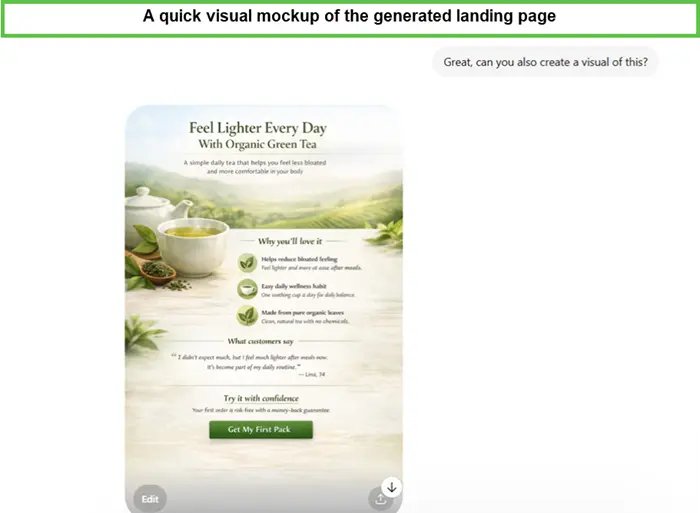
ChatGPT not only helps in generating content for your landing page. You can use it to create a visual representation of your landing page. To avail this feature, simply instruct:
“Great, can you also create a visual of this?”
Once you enter this prompt, you need to wait for some minutes. You will get a visual representation of your landing page. Either use it, or further instruct it if you want any changes.
Wrapping Up
AI tools are now highly effective at generating realistic and creative images in just seconds. That’s why you should learn some ChatGPT prompts to design a page that hooks the audience. Remember, all these prompts can be adjusted to suit your business needs.
Further, you can ask for multiple variants of the content till you receive the best results. Start implementing these prompts today according to your business goals. You will start receiving results that transform your landing page copywriting into achievable and better conversion results.
FAQs
Can AI make me a landing page?
Yes, AI can help you make a landing page. It can write the text, suggest the layout, and even generate code. It saves time and makes the job easier.
Can ChatGPT make me a landing page?
Yes, ChatGPT can make a landing page too. It can help you plan it, write the content, and build a simple version in HTML, CSS, or React. You only need to tell it what the page is for.
How do I create a landing page?
To create a landing page, start with one clear goal. Then add a strong headline, a short explanation, a good image, and a clear call to action. Keep the page simple. Make it easy to read. Make it easy to click.